
Get started with just an iPad or iPhone, receipt printer, and payment terminal—a powerful POS solution without expensive hardware or complicated setup.
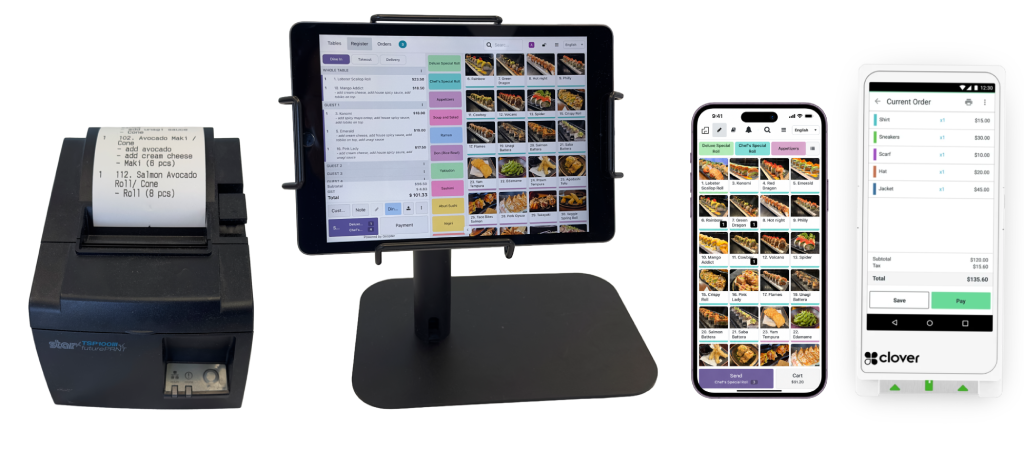
Transform your iPad or iPhone into a powerful POS terminal for restaurants and retail. Built for maximum flexibility, it operates seamlessly as either a cloud-based or on-premises solution.
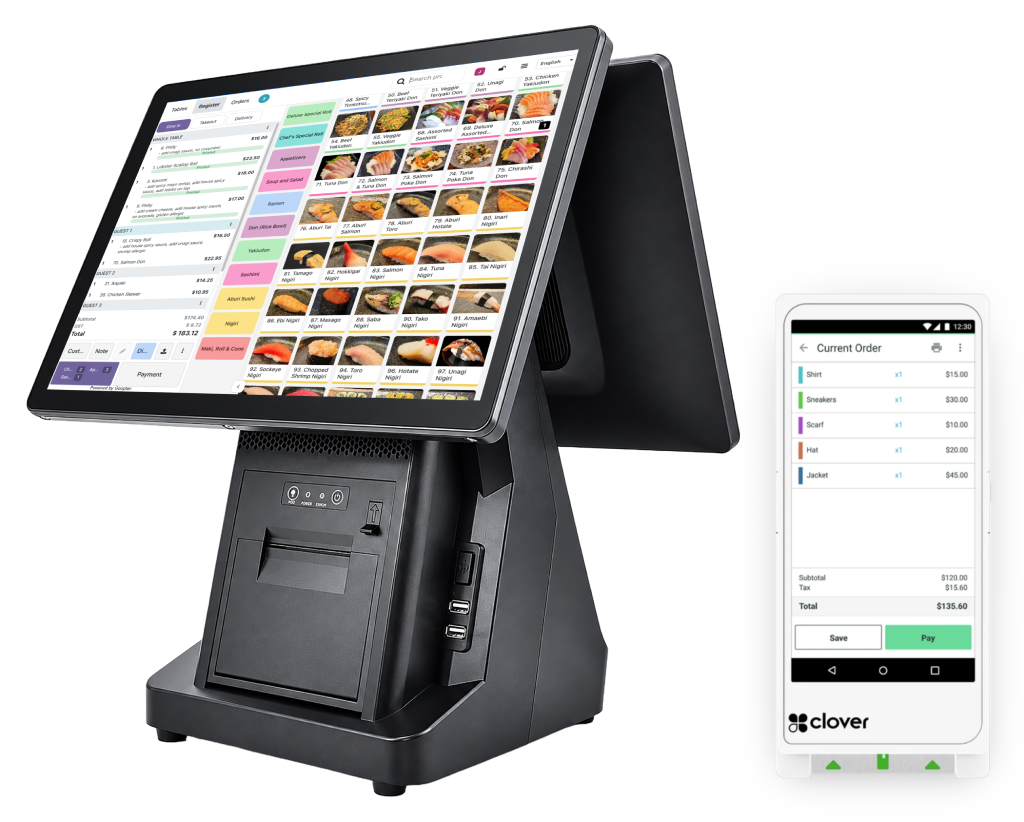
The Goopter Smart POS Duo and Solo are powerful all-in-one countertop terminals. They serve as the essential main server for on-premises setups, while offering full cloud compatibility.
Cloud plan: iPad or POS DUO as terminal | On-Premises plan: POS DUO required as main terminal; additional iPads can serve as secondary terminals
ALL-IN-ONE SOLUTION SMART POS + MERCHANT SERVICES
Reduce operating expenses with powerful tools and competitive rates.
Keep customers coming back with rewards, VIP programs, gift cards and more.
Streamline operations, increase productivity and make better business decisions.
CLOUD OR ON-PREMISES
Two flexible options built from the same powerful Smart POS. Pick what fits your business and your internet reality. See pricing & packages.
Terminal: Deploy any combination of Smart POS Duo, Smart POS Solo, or Smart POS iPad/iPhone. Requires an active Internet connection. No primary terminal setup is required, and there is no limit to the number of terminals you can connect.
 Smart POS DuoDual-Screen Terminal
 Smart POS SoloSingle-Screen Terminal
Smart POS iPad/iPhoneMobile Terminal
Smart POS SoloSingle-Screen Terminal
Smart POS iPad/iPhoneMobile Terminal
Main Terminal: Requires one Smart POS Duo or Smart POS Solo designated as the primary local server. Secondary Terminals: Add any combination of Duo, Solo, or iPad/iPhone as additional terminals. Internet: Order data is stored locally. The system operates and processes payments seamlessly offline without an active internet connection.
Main Terminal Duo/SoloLocal Server
Secondary TerminalsDuo/Solo/iPad/iPhone
| Cloud Smart POS Cloud | On-Prem On-Premises | |
|---|---|---|
| Requires Internet | Yes | No — Offline Capable |
| POS Terminal Options | Duo, Solo, iPad/iPhone | Main: Duo or Solo Secondary: Duo, Solo, iPad/iPhone |
| Primary Terminal Required | No | Yes — one Duo or Solo |
| Terminal Limit | Unlimited | 1 Main + Multiple Secondary |
| Receipt Printing | Built-in on Duo/Solo | Built-in on Duo/Solo |
| Data Storage | Cloud | Local |
| Offline Order Processing | ✓ | |
| Clover Payment Integration | ✓ | ✓ |
POWERFUL FEATURES

Serve customers in their preferred language.

Flexible solution for any type of business. See our restaurant, retail, and hotel use cases.

Manage all order types in one place.

Gift cards, rewards, coupons, happy hours and more.

Build stronger relationships and reward your best customers.

Seamless Clover card reader integration for secure payments.

Flexible pricing to match your budget and goals. Monthly or lifetime payment options.
Modern, reliable and easy to use. iPad or touchscreen PC as POS terminal.

We're here to support you every step of the way. Dedicated customer support.
COMMON QUESTIONS
Yes. The On-Premises version runs entirely on your local computer and does not require internet. The Cloud version requires a stable internet connection.
Smart POS supports iPad or touchscreen PC as the POS terminal, plus Clover card readers, receipt printers, and more. The exact configuration depends on your chosen deployment plan.
No long-term contracts. All plans are month-to-month with a 30-day money-back guarantee. Cancel anytime.
We provide full migration support and training to ensure your data transfers smoothly and your team gets up to speed quickly.
Clover device costs depend on your chosen payment processing plan. We help you find the best rates for your business.
We offer 24/7 phone and online technical support to keep your business running at all times.
Experience the difference with Goopter Smart POS today!
7790 Royal Oak Avenue
Burnaby, BC V5J 4K4
*Terms and conditions apply. Contact us for details.
Take your business to the next level
