Smart POS Duo and Solo
Counter orders appear the moment the cashier submits them.

Every order on screen, in order, in real time.
Goopter Smart KDS (Kitchen Display System) replaces traditional printed kitchen tickets with a digital, real-time order management screen. Incoming orders and individual items appear directly on kitchen displays, helping your team organize preparation, monitor progress, and communicate item readiness, while reducing dependency on kitchen printers and paper tickets and lowering recurring printing and supply costs.
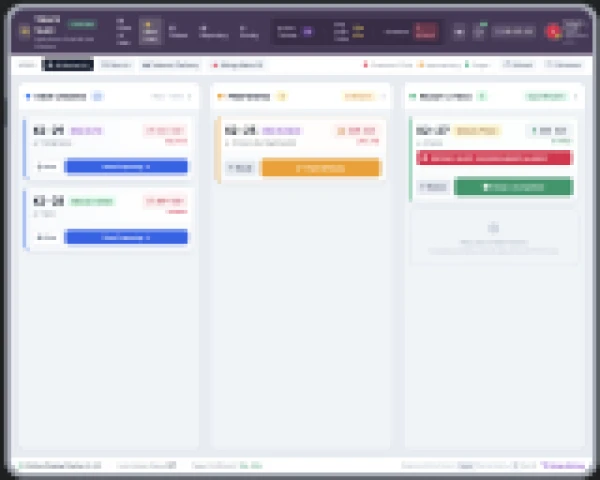
New orders and items appear automatically on the kitchen display the moment they are submitted.
Kitchen staff update individual items as they are prepared and completed.
Deploy on compatible tablets, touchscreen computers, or kitchen monitors.
Fewer kitchen printers, no thermal paper, and less printer maintenance.
New orders and order items appear automatically on the kitchen display, with no printing and no tearing tickets.
Update each item as it is started and completed, so the whole team sees what is in progress and what is done.
Front-of-house staff see preparation progress in real time, improving communication between the kitchen and the service team.
Minimize the need for kitchen printers, thermal paper, and printer maintenance.
Keep active orders organized digitally and eliminate lost or misplaced paper tickets.
Help kitchen teams prioritize orders and keep preparation moving during busy periods.
Smart KDS does everything a kitchen printer does, and shows you what a printer cannot.
| Goopter Smart KDS | Traditional kitchen printer | |
|---|---|---|
| How orders arrive | Instantly on screen, from every ordering channel | A printed ticket per order |
| Tracking progress | Item-level status visible to kitchen and front-of-house | Manual, by handwritten notes or memory |
| Lost or damaged tickets | None; orders stay on screen until completed | Common in busy, wet, or hot kitchens |
| Recurring costs | No paper; fewer printers to maintain | Thermal paper and printer maintenance |
| Hardware | Tablet, touchscreen PC, or kitchen monitor | A dedicated kitchen printer per station |
Smart KDS receives orders from every Goopter ordering device, so the kitchen never has to check multiple sources.
Counter orders appear the moment the cashier submits them.
Table-side orders arrive before the server leaves the table.
Guest orders and reorders go straight to the line.
Paid kiosk orders arrive ready to prepare.
Specifications for Smart KDS.
Yes. Many kitchens run KDS at the main stations and keep a printer for expo or packaging. Orders can go to both.
Yes. Deploy up to 10 KDS screens, with orders routed to the right station.
An iPad with a 10-inch or larger screen, a touchscreen PC with a 15-inch or larger monitor, or a kitchen monitor. We recommend 15- or 17-inch screens, mounted on a wall, shelf, or stand.
Yes. Orders from Smart POS terminals, iPad and iPhone, Table-Side Kiosks, and Self-Service Kiosks all flow to the kitchen display.
Yes. When items are marked ready on the KDS, the customer-facing Smart OSD updates automatically.
See how Smart KDS fits your line, from a single screen to multi-station setups.